Common questions
What can Seedance 2.5 do?
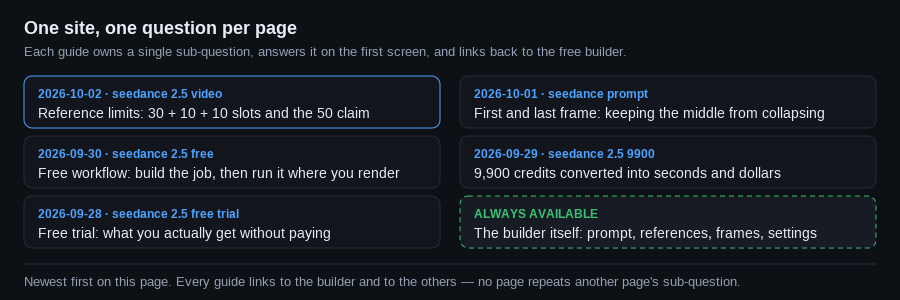
On the evidence you can check yourself: it is ByteDance's audio-video generation model built for 30-second clips with reference control and editing, so one job can carry a prompt plus reference images, video clips and audio tracks and come back as a single clip with synced sound. This site's builder matches that shape — 4 to 30 seconds, 30 reference images, 10 clips and 10 tracks in one screen — because those are the fields a job sheet has to settle before any host runs it. The model itself renders nothing here; pick the guide above that owns your sub-question and start there.
How do you prompt Seedance 2.5?
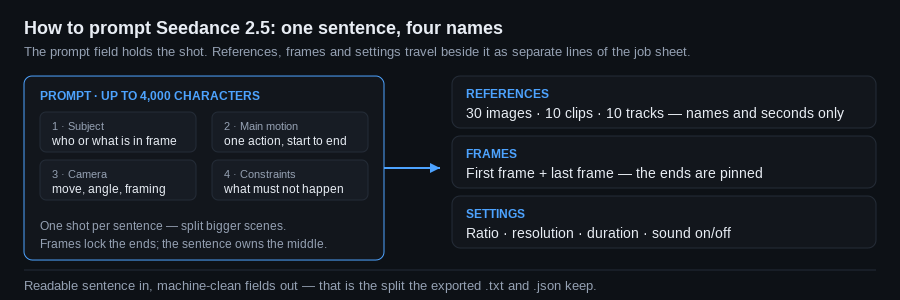
With one sentence per shot that names four things: the subject, the single main motion, the camera move, and the constraints that keep it clean. In this builder that text lives in a 4,000-character prompt field, and everything else travels beside it rather than inside it — reference images, clips and audio tracks, first and last frame, ratio, resolution, duration and sound are separate lines of the exported job sheet, so the prompt stays readable and the settings stay machine-clean. Write the shot first, lock the ends with frames if you have them, then let the guide that owns your sub-question — the prompt pattern or the reference budgets — decide how much to attach.
Where are you guys learning the actual prompting formats for Kling/Wan/Seedance/MiniMax?
Split the question in two, because only half of it has a stable answer. The part that transfers between models — name the subject, give it one main motion, state the camera move, add the constraints — is learned by copying examples and running them, and the guides above do exactly that for Seedance: a worked prompt anatomy, a first-and-last-frame pattern, and the reference budgets that say how much you can attach. The part that does not transfer is the numbers: this site can state Seedance's caps precisely because the builder hard-codes them (4–30 seconds, 30 reference images, 10 clips, 10 audio tracks, a 4,000-character prompt), and those figures are not Kling's or Wan's or MiniMax's figures — for those, take the format habit from here and the caps from each model's own documentation, not from a screenshot of someone else's settings. Nobody learns formats from a listicle; they learn them from one prompt run, one thing changed, run again.
What this site is
A free, single-screen Seedance 2.5 job builder. Write the prompt, attach references, set the first and last frame, choose ratio, resolution, duration and sound, then copy the prompt or download the job as .txt and .json. No account, no upload, no ads — nothing you type or attach leaves the tab.
Building a job is free here. Rendering the video happens wherever you run the model, on that host's terms.